Zia Tutor AI
A personal learning agent, built as a digital twin of Zia Khan, that teaches the Agent Factory, remembers your progress, and continues where you stopped.
Zia Tutor AI combines four things an ordinary AI chatbot does not have:
- the governed knowledge of the Agent Factory System of Record
- Zia Khan’s teaching identity, method, and personality
- your persistent learning record: what you studied, what you understood, and what you should learn next
- your profile: your goals, your background, and how you like to learn. Every lesson is shaped around it, and it is yours to see and change any time.
 Zia Khan co-founded Panaversity and co-authored The AI Agent Factory, the book that introduces the methodology taught by this digital twin. An agentic AI developer, software architect, and educator, he holds three master’s degrees from Arizona State University in engineering, business administration, and accounting information systems. He is also a U.S. Certified Public Accountant (CPA) and a Certified Management Accountant (CMA).
Zia Tutor AI lives inside the AI agent you already use, including Claude. Add one connector and one skill, authorize once, and begin learning. There is no separate tutoring app to install and no second interface to learn. Your AI agent is the runtime.
Personal AI begins with a purpose
Zia Tutor AI has one defined purpose:
Help you gain the expertise to build AI Workers and Digital FTEs, and to become a Forward Deployed Engineer.
That focus makes it a vertical personal AI agent for education. It does not try to manage your entire life. It maintains the context required to guide one important journey from beginning to competence.
Most AI tutors answer the question in front of them. Zia Tutor AI also understands where that question belongs in your learning journey. It can:
- greet you by name
- remember where you stopped
- continue across sessions and weeks
- teach in the sequence appropriate for you
- check whether you understood the previous concept
- identify what you should study next
- ground every lesson in the governed Agent Factory knowledge base
One system, two roles
Zia Tutor AI has two complementary roles.
It knows your learning context and guides your individual progress through the Agent Factory.
Zia Tutor AI is a digital twin of Zia Khan: his teaching identity, method, judgment, and governed knowledge, encoded as an agent. In engineering, a digital twin represents a physical asset. Here, it represents a person’s expertise and teaching method instead. In the FDE Agent Factory Model it occupies the Layer 2 reference-expert position, and every vertical can eventually create its own equivalent:
Zia Tutor AI teaches the Agent Factory. A vertical expert twin teaches and supports the work of its own profession.
One connector, one skill, three records
Behind the tutor are three governed records working together:
The Agent Factory System of Record holds the book's governed concepts, methods, terminology, and learning material.
Your goal, what you do, and how you learn, plus the material you completed, the understanding you demonstrated, and your next learning step.
How Zia teaches: his voice, his principles, his explanations, his standards, and his instructional method.
Together, these records produce something more capable than a chatbot with a system prompt. They create a tutor that is grounded, recognizable, and continuous.
Why it matters
The first generation of AI education tools gave every learner access to answers. The next generation will give every learner access to a personal agent that understands:
- who they are
- what they are trying to achieve
- what they already know
- where they are struggling
- what they should do next
Zia Tutor AI is the Agent Factory's implementation of that future.
Set up Zia Tutor AI
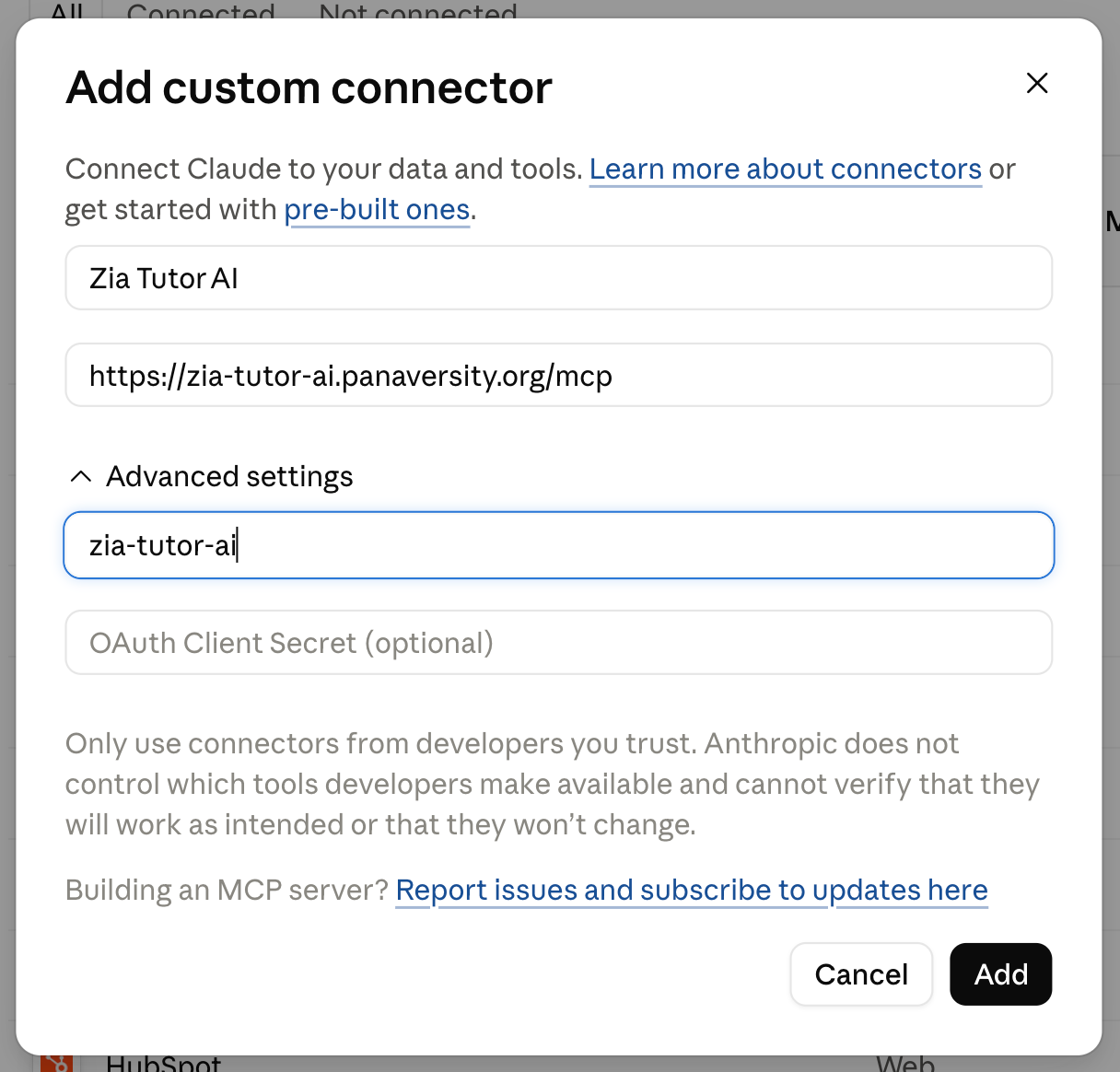
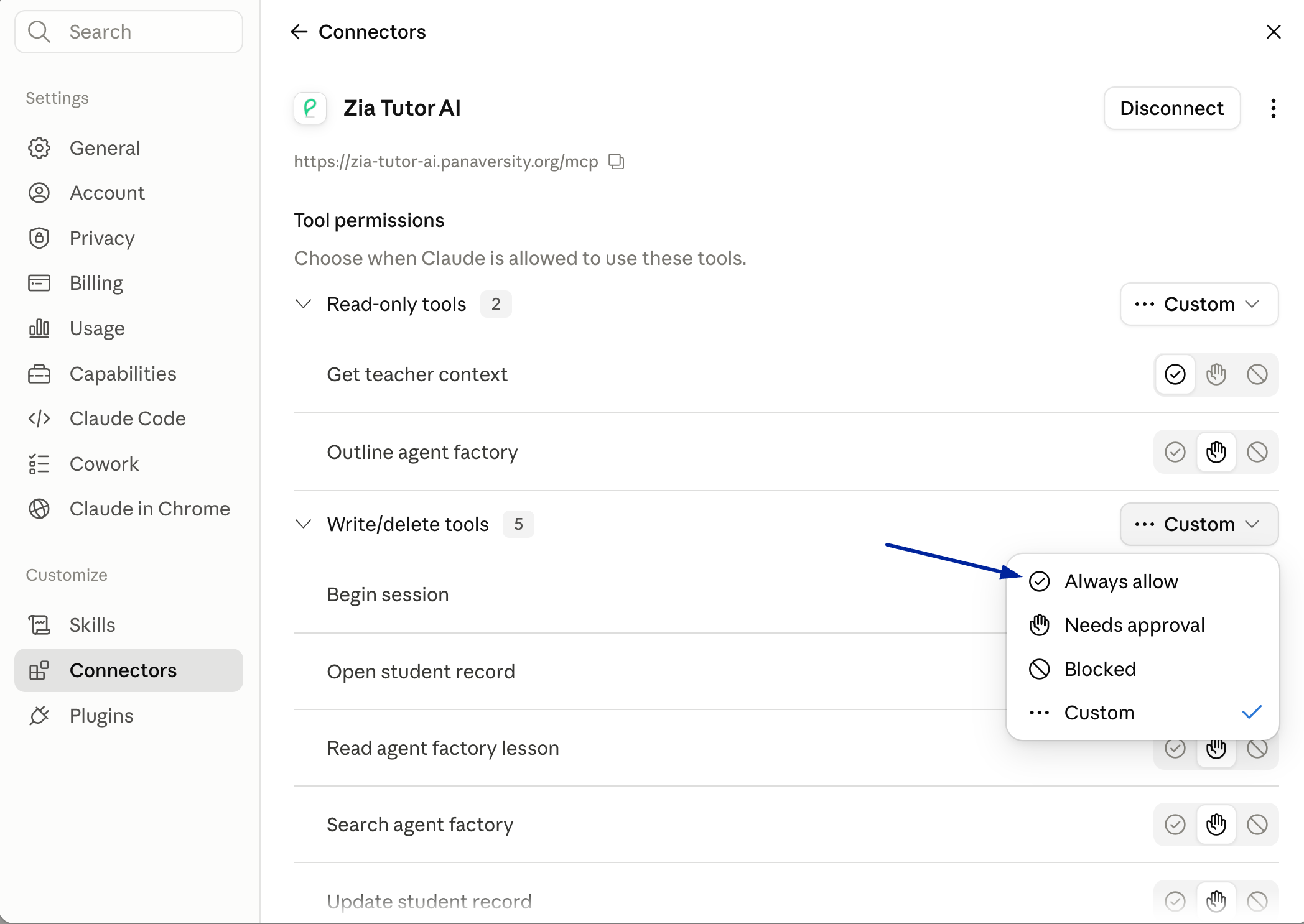
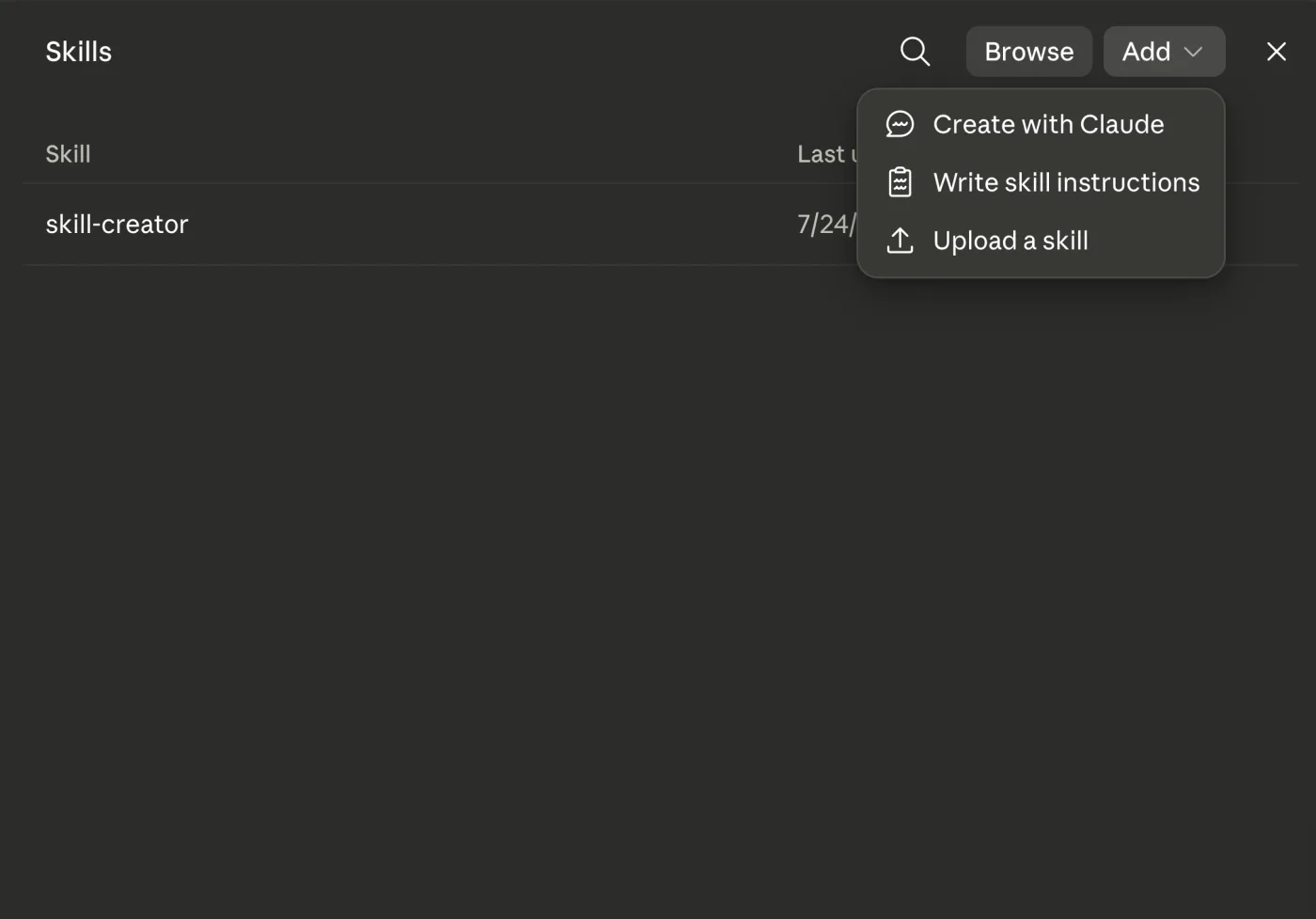
You add two things in claude.ai, once. The connector brings the book, Zia’s teaching, and your progress. The skill is how you call him. After that, one command starts a lesson. About two minutes in all.
Add the connector
Leave Client Secret empty. This connector does not have one. Type something there and it will not connect.
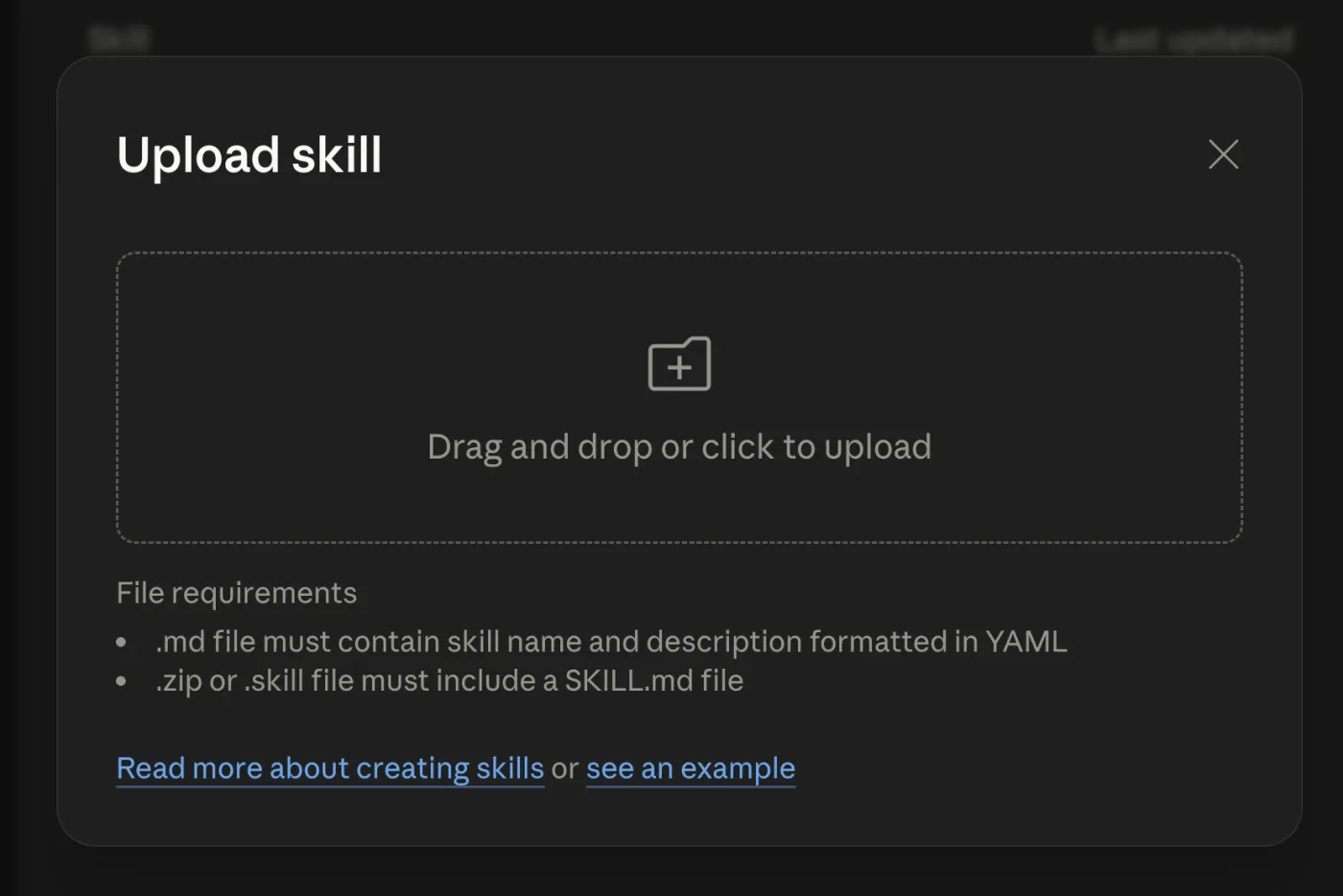
Add the skill
This skill is how Claude knows when to bring Zia in.
Start learning
Zia says hello by name and picks up where you stopped. He only comes when you call him, so your other chats stay normal.